Online Piano Ear Training: Match Notes by Sound
Ear training often feels harder than playing the right key. Many beginners can copy a note after they see it, but they freeze when the same note is played first and they have to recognize it by sound alone.
That is exactly why an online piano can help. A browser keyboard gives you an easy place to hear a note, try an answer, and repeat the same tiny drill without setting up a full practice space. The session stays light, which makes it easier to listen closely.
If you want a simple place to start, the browser piano workspace lets you play immediately and focus on one sound at a time. The goal is not to do advanced ear training on day one. The goal is to start matching what you hear to what you press.
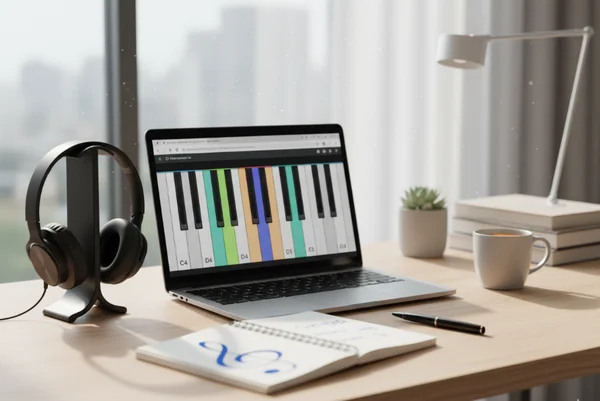
Why ear training feels harder than finding the right key
Visual practice gives you a shortcut. You can watch the key, copy the movement, and get a correct answer before your ear really has to work. Listening practice removes that shortcut, which is why it feels slower at first.
That slower pace is normal. Ear training asks you to notice pitch, hold it in memory for a moment, and then test your guess. Berklee's Ear Training 1 is the first in a series of four required courses. That is a useful reminder that listening skill grows through structured repetition rather than one lucky guess. A browser piano is useful here because it reduces friction. You can hear, try, and correct without switching tools.
Start with one note and one clear sound source
Use the online keyboard to test one pitch at a time
Keep the drill extremely small. Play one note, pause, and try to sing or imagine it before you play it again. Then test your guess on the keyboard.
This works well on the site because the homepage already supports direct keyboard, mouse, and touch input in one place. You do not need extra gear just to begin. You need one clear sound and a few calm repeats.
Listen first before you look at the key names
The urge to look at note labels too early is strong. Resist it for a few seconds. Let the sound land first, then guess, then check.
That order matters because ear training is not a memory quiz about screen labels. It is a listening habit. When you delay the visual answer for even a moment, you give your ear a real job to do.
Turn the browser piano into a simple listening loop
Record tiny note patterns you can replay
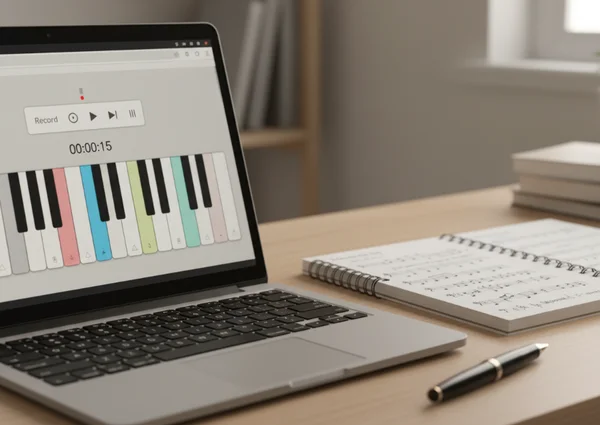
A short listening loop is more useful than a long song when you are starting out. Record a tiny pattern, play it back, and answer it on the keyboard. The pattern can be as small as two or three notes as long as you can hear it clearly. Berklee's Ear Training 2 is listed as a level 1, 12-week, 3-credit course focused on recognizing, imagining, remembering, and notating musical sounds more accurately. That is exactly why short note shapes are such a strong starting point.
This is where the site's practice features become helpful. The knowledge base shows note recording, audio recording, download options, and a metronome already live inside the broader piano workflow. That means you can capture a pattern, replay it, and test yourself without leaving the session.
Use short patterns instead of full songs
Beginners often jump to melodies too quickly. Full songs add rhythm, memory, and finger planning all at once. That can make it hard to tell whether you are training your ear or just guessing from habit.
Short patterns keep the task honest. If you can match a tiny shape by sound, you are building real listening skill. Once that gets easier, simple melody fragments start to make more sense.
Add sheet music only after the sound feels familiar
Match heard notes to visible notes step by step
Sheet music becomes much more useful after the sound is already in your head. Hear a note or short pattern first, then look at the notation and match it to the keyboard. That creates a stronger link than staring at notation alone.
The site's sheet music area is built around a see, hear, and play flow, which makes this transition natural. You can move from sound to symbol to key without turning the exercise into a giant reading lesson.
Keep sight-reading and ear work separate at first
Sight-reading and ear training help each other, but they should not fight for your attention at the beginning. If you try to decode notation and identify pitch by ear in the same early drill, one skill usually takes over.
A cleaner plan is to split the work. Do a few minutes of listening first, then open notation for a second pass. That way you can tell whether you recognized the sound or only reacted to what you saw.
Build a repeatable ear-training routine on the homepage
Use a short warm-up, one listening goal, and one replay check
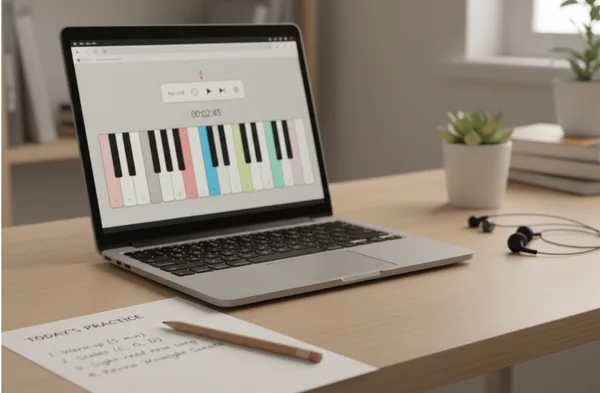
A small routine is easier to keep than a perfect one. Start with a quick warm-up on the keyboard, choose one listening goal for the session, and end with one replay check to see whether your guesses are getting closer.
That structure keeps the session focused. It also fits the site well because the homepage is designed for fast entry, instant playing, and short repeat visits rather than heavy setup.
Know what the online piano can and cannot replace
The site is a very useful practice space, but it is still a browser-based tool. It can help you start listening better, test note matching, and support regular short sessions. It does not replace every part of a full instrument routine or a complete lesson path.
That expectation matters because the site's own boundary is practical and clear. It is built for personal use, no-download access, and lightweight learning support. It is not a formal course or a guaranteed performance system.
What to do next after your first matching drill
Repeat the same small pattern for a few days before you expand it. The fastest way to feel progress is not to make the drill harder every time. It is to make the sound more familiar each time you come back.
Then return to the homepage keyboard view with one new listening target. Maybe it is a higher note, a lower note, or a tiny pattern with one more step in it. If you want a backup option, the no-download piano setup also makes it easy to restart the drill whenever you have a few spare minutes.
Ear training improves quietly. A small browser session may not feel dramatic, but it can build the habit that makes every later song, exercise, and sheet music page easier to understand.